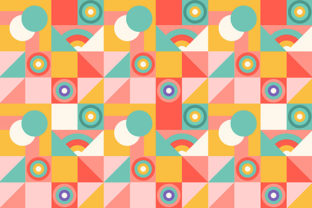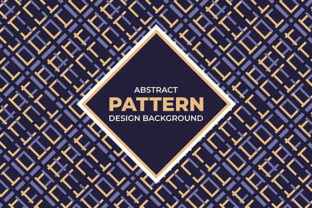
Abstract Geometric Pattern: A Versatile Asset for Designers, Makers, and Brand Builders
An Abstract Geometric Pattern is more than a visual motif—it’s a functional design element engineered for repetition, scalability, and adaptability. Built from non-representational shapes—circles, triangles, polygons, lines, and asymmetrical forms—arranged with intentional rhythm and spacing, it avoids literal meaning while delivering strong visual cohesion. Unlike illustrative or thematic patterns, its strength lies in neutrality, flexibility, and structural integrity. That makes it especially valuable when consistency, professionalism, and cross-platform compatibility matter.
For surface designers, textile artists, packaging developers, and digital content creators, this pattern isn’t just decorative—it’s infrastructure. It supports decisions before production begins, streamlines execution during development, and extends value long after launch. Whether you’re printing on cotton twill or layering behind a keynote slide, the right Abstract Geometric Pattern functions as both foundation and finish.
Where It Fits in Real Workflows
Most professionals don’t start with a pattern—they start with a need: a fabric line to pitch, a product launch backdrop to source, gift wrap that reflects brand tone, or a website section requiring visual texture without distraction. The Abstract Geometric Pattern enters at multiple inflection points:
- Pre-production planning: When sourcing materials for a capsule collection, designers use high-resolution seamless patterns to simulate drape, scale, and repeat behavior on mood boards—before committing to yardage or sampling.
- Mid-process iteration: Surface designers test color variants directly in Adobe Illustrator using the included .Eps file, adjusting swatches and tiling boundaries without re-exporting from scratch.
- Post-launch adaptation: A small business owner repurposes the same pattern across Instagram story templates, email headers, and printed thank-you cards—ensuring visual continuity with zero additional asset creation.
This isn’t theoretical reuse. It’s measurable efficiency: one pattern file, multiple outputs, consistent quality control across substrates and resolutions.
Why File Format Matters—And How JPEG + .Eps Deliver Practical Value
Two files—High-Quality JPEG and .Eps—are included for deliberate, complementary reasons. Neither replaces the other; they serve distinct roles in real-world execution.
The High-Quality JPEG is your immediate-use asset. At 300 DPI and minimum 4000×4000 px, it renders cleanly on screen and in print-ready layouts. Use it for client presentations, social media previews, mockups in Figma or Canva, or direct upload to print-on-demand platforms like Spoonflower or Printful. Its raster format ensures pixel-perfect fidelity where vector scaling isn’t required—and eliminates software compatibility friction for non-designers (e.g., marketers uploading to CMS dashboards).
The .Eps file, meanwhile, is your editable, future-proof foundation. As a vector format, it scales infinitely without degradation—critical when adapting the pattern for large-format wallpaper, signage, or embroidery digitizing. Surface designers open it in Illustrator to adjust tile size, rotate elements, recolor individual shapes, or export custom swatches for Pantone matching. It also integrates cleanly into CAD workflows for textile mills or CNC engraving setups—where precise path data matters more than pixel count.
Together, they eliminate bottlenecks: no waiting for a designer to resize assets, no risk of blurry exports, no licensing ambiguity. You own full usage rights—including commercial application across physical and digital channels.
Integration Across Tools, Teams, and Outputs
Compatibility isn’t abstract—it’s operational. This Abstract Geometric Pattern works because it respects common constraints and standards:
- Software-agnostic use: The JPEG imports into PowerPoint, Keynote, WordPress, Shopify themes, and email builders without plugins. The .Eps opens natively in Illustrator, Affinity Designer, CorelDRAW, and InDesign—no conversion needed.
- Team handoff clarity: When handing off to a printer, include both files: JPEG for proofing color and contrast, .Eps for RIP (raster image processor) setup. No miscommunication about tile alignment or bleed.
- Cross-medium consistency: Apply the same base pattern to fabric, ceramic decals, and web backgrounds—and maintain identical proportions and spacing. That visual echo builds subconscious recognition, especially for brands relying on tactile + digital touchpoints.
It also interfaces cleanly with color systems. Because the .Eps separates shape layers, you can assign PMS colors to specific elements—useful for maintaining brand guidelines across vendor-supplied materials where CMYK shifts are common.
Practical Implementation Tips for Long-Term Use
Getting value from this pattern over time depends less on inspiration and more on organization and intentionality:
- Name files descriptively: Instead of “pattern_v2.eps”, use “abstract-geo-navy-teal-300dpi-4k.jpg” and “abstract-geo-navy-teal-eps.ai”. Include color, scale, and resolution—so you can locate the right version in 3 seconds during a deadline.
- Test tile behavior early: Before mass production, place the JPEG in Photoshop and use “Edit > Define Pattern”, then fill a large canvas. Zoom to 200% and check for visible seams or misaligned edges—especially along diagonal repeats.
- Archive variants, not originals: Keep the untouched JPEG and .Eps in a master folder. Save edited versions (e.g., “-recolored”, “-halved-scale”) in subfolders. That preserves flexibility if you need to revert or rework later.
- Document usage context: Add a simple text file noting where each variant has been used—e.g., “Used on 2024 holiday gift wrap, client: Birch & Bloom”. Helps avoid accidental reuse in conflicting brand contexts.
Quality control starts here: a well-organized asset library means faster turnaround, fewer revision rounds, and confident reuse across projects—without second-guessing resolution limits or licensing scope.
Real-World Applications Beyond the Obvious
Yes, this Abstract Geometric Pattern works for fabric and wallpaper—but its utility expands when you shift perspective from “decoration” to “system”:
- Educators use the JPEG as a low-cognitive-load background for printable worksheets—clean enough to support readability but visually engaging for younger learners.
- Freelancers embed the .Eps into proposal templates, giving client-facing documents a cohesive, premium feel without custom illustration costs.
- Productivity tool builders apply the pattern as subtle UI texture in dashboard cards or mobile app onboarding screens—adding depth without competing with content.
- Hobbyists print the JPEG onto iron-on transfer paper for custom tote bags or use the .Eps to cut vinyl decals for laptop skins—leveraging the same asset for craft and digital output.
In each case, the pattern isn’t the focus—it enables focus elsewhere. It reduces visual decision fatigue, accelerates asset prep, and maintains professional polish without demanding extra time or budget.
Ultimately, an Abstract Geometric Pattern earns its place in your toolkit not by being flashy, but by being reliable—repeatable, adaptable, and resolution-agnostic. It’s the quiet foundation that lets your ideas, products, and messages land clearly—across surfaces, screens, and seasons.